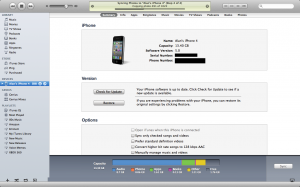
This device isn’t eligible for the requested build

Did you get the error in iTunes that your iPhone, iPad, or iPod Touch could not be updated. This device isn’t eligible for the requested build? Well it seems like many people are getting this error if they are updating to the latest version of iOS and Cydia does not yet have your SHSH files saved. Lots of people will have issues with iOS 5 beta if they have previously used TinyUmbrella

Most likely you installed the program TinyUmbrella to save your SHSH files so that you can downgrade to an older iOS firmware. TinyUmbrella has an option that automatically changes your host file so that it defaults to Cydia. In order to fix the iTunes error you are receiving you need to fix your host file or just open TinyUmbrella up again and click on the Advanced tab.  You will see the second check box say: Set Hosts to Cydia on Exit (if you need a clean restore from Apple uncheck this box).

So make sure you uncheck this box and close both iTunes and TinyUmbrella.  After that you can open up TinyUmbrella and do a clean restore in iTunes.  Doing a clean restore will always update you to the latest iOS version and will update your baseband.

As of writing this I believe Cydia has been updated to support iOS 4.3.3, so you should not see the error this device isn’t eligible for the requested build. If you still see the error just follow the above instructions or fix it manually with the instructions below.


You can manually fix the error “This device isn’t eligible for the requested build” by editing your host file.

Windows Guide:
1. Hit Start and in the search box type CMD and press enter.
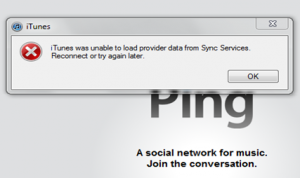
2. CMD.exe will pop up.  Type ping gs.apple.com and press enter.
3. If you see something other than Reply from 17.112.176.11: bytes=32 you will need to edit your host file.
4. Right click on the Notepad program and make sure you select run as administrator.
5. Go to File Open and browse to C:\Windows\system32\drivers\etc\ and select hosts file.
6. Find the line 74.208.105.171 gs.apple.com and/or 74.208.10.249 gs.apple.com and Add # sign to the front of it or delete the line(s).
7. Save and exit. You will then want to run the ping command to make sure it worked.

OS X Guide:
1. Open Terminal. You can type Terminal in the search in the upper right corner.
2. When Terminal loads, type ping gs.apple.com and press enter.
3. If you see something other than Reply from 17.112.176.11: bytes=32 you will need to edit your host file.
4. Use Text Edit and open up host file in /etc/hosts
5. Find the line 74.208.105.171 gs.apple.com and/or 74.208.10.249 gs.apple.com and Add # sign to the front of it or delete the line(s).
6. Save the file as a new file to the desktop.
7. Copy the new file and overwrite the one in /etc/hosts.  It will ask you for your administrator password before it will overwrite.
8. You will then want to run the ping command to make sure it worked.

Incoming search terms:

  • iphone not eligible for requested build
  • The iphone could not be restored This device isn\t eligible for the requested build
  • This device isn\t eligible for the requested build ios 5
  • This device isn\t eligible for the requested build 4 3 3
  • iphone isn\t eligible for requested build
  • not eligible for requested build
  • the iphone could not be restored this device isnt eligible for the requested build
  • this device isnt eligible for the requested build 4 3 3
  • THE IPHONE COULD NOT BE UPDATED THIS DEVICE ISN\T ELIGIBLE FOR THE REQUESTED BUILD
  • This device is not eligible for the requested build
read more

BREAKING: Google To Launch Music Cloud Service Today

Well it looks like Google is rushing to beat Apple to the punch. It seems as though Google is going to launch Google Music today at it’s annual Google I/O developer conference.

UPDATE: CONFIRMED, sign up for an invite here http://music.google.com/about/

Google will be taking the same approach to streaming music as Amazon. This means that they will not have a master copy, but rather they will have the user upload their library.

AKA, Google has no licenses with the record labels.

So why am I writing a Google story on an Apple site? Because we have long debated which service would launch first and it seems that Google rushed it out in order to beat Apple and keep up with Amazon.

Now, I agree with Google & Amazon about their not needing licenses to do what they are doing, but I would rather stay out of the cloud until Apple launches their licensed (and more secure, legally speaking) cloud that is rumored to also video, photos, contacts, calendars, etc.

Also, by the way, Google’s service is rumored to be flash only, so no iOS devices or Android devices running anything lower than 2.2.

What a shame.

Google is going to launch this as an invite-only beta for Google I/O attendees, Motorola Xoom owners, as well as people who want to sign up for a beta.

Keep in mind, no “official” announcement has been made but Google’s own executive leaked the announcement many hours before hand.

We expect Apple to show off their iCloud service at WWDC 2011 on June 6th!

read more

Fix: AirPlay Audio Only? Enable Any HTML 5 Video Over AirPlay

So you are trying to play a video from a website on your Apple TV over AirPlay and you notice that only sound is coming out.  Where is the video? How come some videos work over AirPlay and others don’t?  It appears that every HTML 5 video needs to add some special parameters for video to work over AirPlay.  This means that most of the videos on the web are not Apple TV compatible yet.

There is a workaround to this which will enable video over AirPlay using javascript.  Take a website like http://chronictv.org/ when you watch a video and then transfer it to your Apple TV you will notice that only the audio is passing through.  In order to fix this we will create a new bookmark with some javascript code to enable the video.

1. On your iPhone, iPad, or iPod Touch, click the square with the arrow in safari and hit Add Bookmark.
2. Name it something like AirPlay Hack and then hit save.


3. Now click the book icon and hit edit. Click on the bookmark you just created “AirPlay Hack” and remove the URL and put : javascript:d=document,e=d.createElement('script');e.src='http://bendodson.com/bookmarklets/ios-airplay.js?'+(new%20Date()*1);void(d.body.appendChild(e));


4. Now go back to the video you want to watch and wait until all the images load and you see a play button over the video. Once you see the play button open up your bookmarks and click on AirPlay Hack. The video will reload, so wait until you see the play button over the video again.
5. This time you can press play and when you send the video to your Apple TV it will transfer both the video and audio over to your TV.

Via [bendodson]

Incoming search terms:

  • airplay only playing audio
  • airplay audio only
  • skyfire airplay
  • apple tv only plays audio
  • airplay only plays audio
  • skyfire AirPlay video
  • airplay sound only
  • airplay hack
  • hbo go apple tv airplay hack
  • airplay only audio
read more

BREAKING: Apple Issues Official Statement Regarding Locationgate

More breaking news hitting us this morning, at the same time that Apple released the white iPhone 4 news, they also took the time to issue the press a statement regarding the, highly publicized scandal in which we were the first to dub (and then others followed :P ), locationgate.

Apple answered every question the media (and senator Al Franken) had to ask Apple. Basically, Apple is not tracking you (specifically), but they use that data in order to make location services faster. They are tracking Wi-Fi hotspots and cellular towers around you, not you, per-say.

They also say that there will be a free iOS update in the next “few weeks” to address the locationgate issues of making the cache smaller and preventing it from being backed up in iTunes, as well as finally turning the services off when “location services” is turned off, which will bring better battery life. However, they say that the data will not be encrypted until “the next major iOS release”, AKA, iOS 5 (or, even iOS 4.4).

Here’s what Apple had to say:

Apple Q&A on Location Data

CUPERTINO, Calif.–(BUSINESS WIRE)–Apple would like to respond to the questions we have recently received about the gathering and use of location information by our devices.

1. Why is Apple tracking the location of my iPhone?
Apple is not tracking the location of your iPhone. Apple has never done so and has no plans to ever do so.

2. Then why is everyone so concerned about this?
Providing mobile users with fast and accurate location information while preserving their security and privacy has raised some very complex technical issues which are hard to communicate in a soundbite. Users are confused, partly because the creators of this new technology (including Apple) have not provided enough education about these issues to date.

3. Why is my iPhone logging my location?
The iPhone is not logging your location. Rather, it’s maintaining a database of Wi-Fi hotspots and cell towers around your current location, some of which may be located more than one hundred miles away from your iPhone, to help your iPhone rapidly and accurately calculate its location when requested. Calculating a phone’s location using just GPS satellite data can take up to several minutes. iPhone can reduce this time to just a few seconds by using Wi-Fi hotspot and cell tower data to quickly find GPS satellites, and even triangulate its location using just Wi-Fi hotspot and cell tower data when GPS is not available (such as indoors or in basements). These calculations are performed live on the iPhone using a crowd-sourced database of Wi-Fi hotspot and cell tower data that is generated by tens of millions of iPhones sending the geo-tagged locations of nearby Wi-Fi hotspots and cell towers in an anonymous and encrypted form to Apple.

4. Is this crowd-sourced database stored on the iPhone?
The entire crowd-sourced database is too big to store on an iPhone, so we download an appropriate subset (cache) onto each iPhone. This cache is protected but not encrypted, and is backed up in iTunes whenever you back up your iPhone. The backup is encrypted or not, depending on the user settings in iTunes. The location data that researchers are seeing on the iPhone is not the past or present location of the iPhone, but rather the locations of Wi-Fi hotspots and cell towers surrounding the iPhone’s location, which can be more than one hundred miles away from the iPhone. We plan to cease backing up this cache in a software update coming soon (see Software Update section below).

5. Can Apple locate me based on my geo-tagged Wi-Fi hotspot and cell tower data?
No. This data is sent to Apple in an anonymous and encrypted form. Apple cannot identify the source of this data.

6. People have identified up to a year’s worth of location data being stored on the iPhone. Why does my iPhone need so much data in order to assist it in finding my location today?
This data is not the iPhone’s location data-it is a subset (cache) of the crowd-sourced Wi-Fi hotspot and cell tower database which is downloaded from Apple into the iPhone to assist the iPhone in rapidly and accurately calculating location. The reason the iPhone stores so much data is a bug we uncovered and plan to fix shortly (see Software Update section below). We don’t think the iPhone needs to store more than seven days of this data.

7. When I turn off Location Services, why does my iPhone sometimes continue updating its Wi-Fi and cell tower data from Apple’s crowd-sourced database?
It shouldn’t. This is a bug, which we plan to fix shortly (see Software Update section below).

8. What other location data is Apple collecting from the iPhone besides crowd-sourced Wi-Fi hotspot and cell tower data?
Apple is now collecting anonymous traffic data to build a crowd-sourced traffic database with the goal of providing iPhone users an improved traffic service in the next couple of years.

9. Does Apple currently provide any data collected from iPhones to third parties?
We provide anonymous crash logs from users that have opted in to third-party developers to help them debug their apps. Our iAds advertising system can use location as a factor in targeting ads. Location is not shared with any third party or ad unless the user explicitly approves giving the current location to the current ad (for example, to request the ad locate the Target store nearest them).

10. Does Apple believe that personal information security and privacy are important?
Yes, we strongly do. For example, iPhone was the first to ask users to give their permission for each and every app that wanted to use location. Apple will continue to be one of the leaders in strengthening personal information security and privacy.

Software Update

Sometime in the next few weeks Apple will release a free iOS software update that:

  • reduces the size of the crowd-sourced Wi-Fi hotspot and cell tower database cached on the iPhone,
  • ceases backing up this cache, and
  • deletes this cache entirely when Location Services is turned off.

In the next major iOS software release the cache will also be encrypted on the iPhone.

Incoming search terms:

  • iphone 4s white wallpaper
read more

BREAKING: White iPhone 4 Arriving Tomorrow World Wide

Breaking news hitting us just a minute ago, it seems that Apple has finally announced that the white iPhone 4 is coming tomorrow. After numerous leaks and photos, and even some sales of the device in Europe, the white iPhone 4′s announcement is a welcome one by many people that have been patiently waiting for the device.

Now, after thinking, it is possible that the white iPhone wasn’t delayed because of a paint malfunction, but it is possible that this was released in order to keep iPhone 4 demand going. Think about it, the iPhone 4 was launched in July in 2010 and the rumored release date for iPhone 5 is said to be in September. Apple needed a way to keep demand going, so they introduced the Verizon iPhone in January for a February release, and now, the white iPhone in April. It makes sense.

Anyways, I’m sure that many of you are going to buy the mythical white unicorn phone, let us know in the comments!

Here’s Apple’s press release:

CUPERTINO, California-April 27, 2011-Apple today announced that the white iPhone 4 will be available beginning tomorrow. White iPhone 4 models will be available from Apple’s online store (www.apple.com/uk), at Apple’s retail stores and select Apple Authorised Resellers.

“The white iPhone 4 has finally arrived and it’s beautiful,” said Philip Schiller, Apple’s senior vice president of Worldwide Product Marketing. “We appreciate everyone who has waited patiently while we’ve worked to get every detail right.”

iPhone 4 is the most innovative phone in the world, featuring Apple’s stunning Retina display, the highest resolution display ever built into a phone resulting in super crisp text, images and video, and FaceTime, which makes video calling a reality.

Pricing & Availability
White models of iPhone 4 will be available in Austria, Australia, Belgium, Canada, China, Czech Republic, Denmark, Finland, France, Germany, Hong Kong, Ireland, Italy, Japan, Luxembourg, Macau, Netherlands, New Zealand, Norway, Singapore, South Korea, Spain, Switzerland, Sweden, Taiwan, Thailand, UK and the US, beginning Thursday, April 28 and in many more countries around the world soon. Pricing and availability details will be available at launch at www.apple.com/uk and www.apple.com/uk/iphone/buy/.

Apple designs Macs, the best personal computers in the world, along with OS X, iLife, iWork and professional software. Apple leads the digital music revolution with its iPods and iTunes online store. Apple has reinvented the mobile phone with its revolutionary iPhone and App Store, and has recently introduced iPad 2 which is defining the future of mobile media and computing devices.

Incoming search terms:

  • iphone 4 white price in usa
  • iphone 4 price in china
  • iphone 4 price in usa
  • white iphone 4 price in usa
read more

This Apple ID Is Not Currently Eligible To Purchase Gift Certificates

Are you trying to buy an iTunes gift certificate online that you can either download and print or email to someone?  Are you getting this error? “This Apple ID is not currently eligible to purchase gift certificates. You can purchase iTunes Gift Cards from a variety of retail locations.”

It seems that Apple has been limiting certain accounts due to all of the fraud that has been happening lately. Hackers were stealing peoples passwords and buying gift certificates that they were selling on eBay or the black market.

In order for your Apple ID to be eligible automatically you need to purchase something with your credit card from an Apple Retail store on apple.com.  Others have had success with removing all credit cards from the account and then adding one at the time of purchasing your iTunes Gift Certificate.

Get A Free $100 iTunes Gift Card

Incoming search terms:

  • this apple id is not currently eligible to purchase gift certificates
  • apple id not eligible to purchase gift certificates
  • this apple Id is not eligible to purchase gift certificates
  • this apple id is currently not eligible to purchase gift certificates
  • this apple id is currently not eligible
  • apple id is not currently eligible to purchase gift certificates
  • this apple id is not currently eligible to purchase
  • apple id not currently eligible to purchase gift certificates
  • this apple id is not currently eligible to purchase gift
  • why is my apple id not eligible to purchase gift certificates
read more
Page 5 of 12« First...34567...Last »