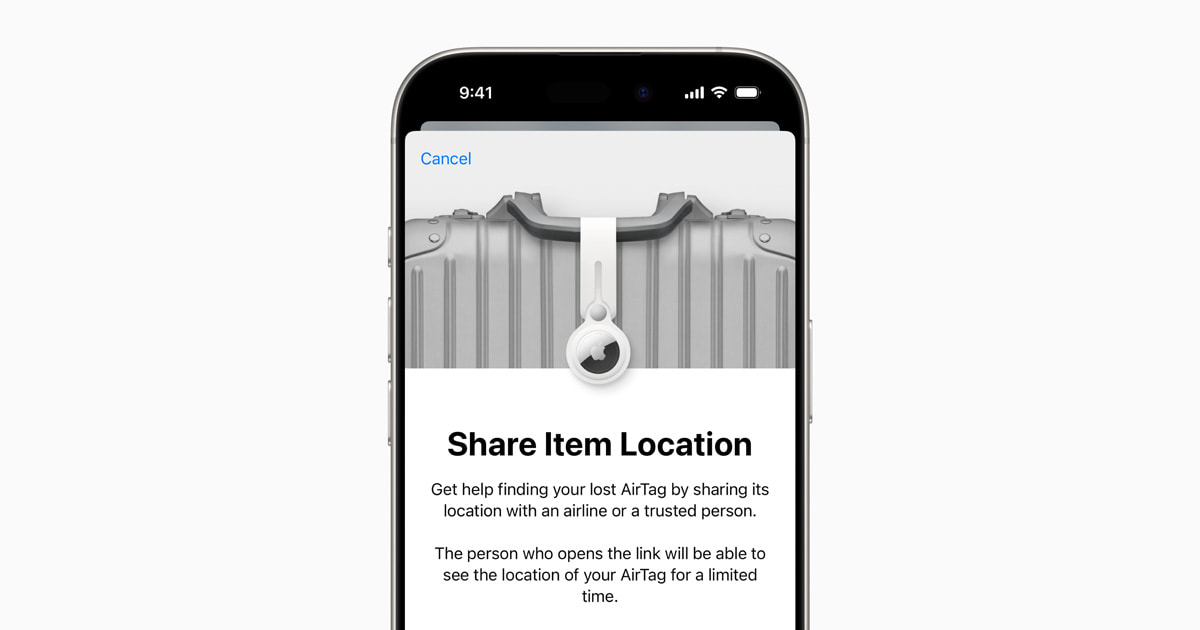
Holiday flights are getting busier, and one small iPhone setup can make a delayed suitcase much easier to recover. If an AirTag or compatible Find My accessory is inside your bag, Apple’s Share Item Location feature lets you create a temporary link for an airline or another trusted helper. That link shows the item’s changing location on an interactive map without handing over your Apple Account credentials.
The feature is worth setting up before Thanksgiving and Christmas travel, not after you are already standing at a baggage-services counter. Here is what it does, how to prepare, and the privacy details every traveler should understand.
What Share Item Location actually does
Apple introduced Share Item Location as a way to securely share the location of an AirTag or Find My network accessory with a third party, including participating airlines. The recipient opens a web link and sees the item on a map, along with the time of its latest location update. That can give baggage staff a more useful lead than a verbal description of a black suitcase among hundreds of other black suitcases.
This is not permanent tracking access. Apple says the owner can stop sharing at any time. The shared link also expires automatically after seven days, and sharing is disabled when you are reunited with the item. The recipient must authenticate before viewing the location, and Apple says participating airlines use the feature through private, secure systems.
Do these checks before leaving home
First, confirm that your AirTag appears in the Items tab of the Find My app and reports a recent location. If it does not, troubleshoot that before packing it. Apple recommends keeping Find My and the Find My network enabled. You can verify the iPhone setting under Settings > your name > Find My > Find My iPhone. Apple’s current Find My setup guide explains that the crowdsourced network uses nearby Apple devices to report an accessory’s approximate location anonymously and with encryption.
Next, check the AirTag battery status in Find My. A low-battery warning is a good reason to replace its CR2032 coin battery before a trip. Place the AirTag inside the suitcase rather than dangling it from an exterior strap, where it can be torn away during handling. Then give the item a clear name such as “Blue checked suitcase” so you do not accidentally share the wrong tracker.
Finally, make sure your iPhone is updated and that you can sign in to your Apple Account. Share Item Location arrived with iOS 18.2, so any iPhone running a current iOS release should support it. Feature availability can vary by country or region.
How to create the temporary location link
If your checked bag is delayed, open Find My, tap Items, and select the AirTag attached to that bag. Scroll to the lost-item options and choose Share Item Location. Follow the prompts to create the link, then use the iPhone share sheet to send it through the method requested by the airline.
Airline procedures differ. Some carriers accept the link inside an online delayed-baggage report or their mobile app; others may ask for it during a customer-service conversation. Follow the airline’s official instructions and share the link only through a channel you trust. The AirTag map supplements the carrier’s baggage-tracing process—it does not replace filing a missing-bag report or keeping your baggage receipt.
Protect the link like private information
A Share Item Location link is designed to be temporary, but it still reveals where a personal item is. Do not post it publicly, paste it into a social-media thread, or send it to an account claiming to be an airline without verifying that account. If you sent the link to the wrong person, return to the item in Find My and stop sharing, then create a new link if necessary.
It is also smart to take a screenshot of your baggage receipt, photograph the suitcase before check-in, and keep medicine, keys, identification, and other essentials in your carry-on. An AirTag can help locate luggage, but it cannot prevent a delay or guarantee that airport staff can immediately retrieve a bag from a restricted area.
The practical holiday-travel takeaway
Spend two minutes before your next flight confirming that the AirTag is online, its battery is healthy, and its name clearly matches the suitcase. If the bag goes missing, file the carrier’s report first and then provide a Share Item Location link through the airline’s official process. You will give baggage staff a precise, privacy-conscious clue while keeping control of the link from your iPhone.
Leave a Reply