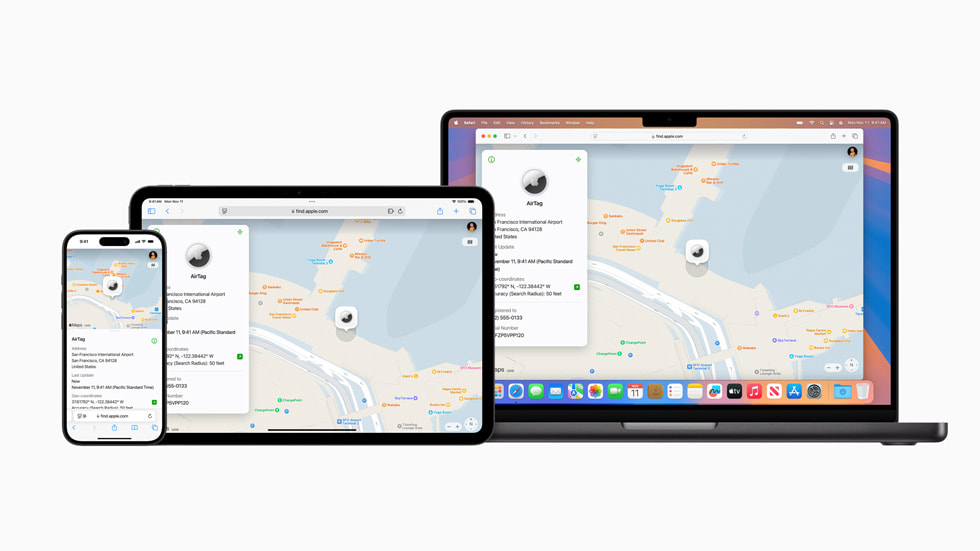
Thanksgiving travel is stressful enough without watching the baggage carousel stop while your suitcase is nowhere in sight. If you put an AirTag or another Find My-compatible tracker in your checked bag, your iPhone can do more than show you a dot on a map: it can create a temporary location link for an airline’s baggage team.
Apple calls the feature Share Item Location. It is designed for exactly this kind of recovery—not for handing over your Apple Account, sharing your own live location, or giving someone indefinite access to your belongings. With airports entering one of their busiest weeks of the year, it is worth knowing where the button is before you need it.
What Share Item Location actually does
AirTag reports its position through Apple’s encrypted Find My network. Apple says that network uses more than a billion iPhone, iPad, and Mac devices to detect a nearby tracker and relay its approximate location privately. In Find My, Share Item Location turns that information into a secure web link that an authorized third party can open while helping recover the item.
The link is temporary. According to Apple’s original Share Item Location announcement, sharing can be stopped by the owner at any time, disables when the owner is reunited with the item, and expires automatically after seven days. Apple’s current AirTag page says more than 50 airlines now support the process, including Delta, Lufthansa, Singapore Airlines, and United.
How to share your bag’s AirTag location
- Open Find My on your iPhone.
- Tap Items, then select the AirTag or compatible accessory inside the missing bag.
- Scroll to the lost-item options and choose Share Item Location.
- Follow the prompts to create the link, then use the share sheet to copy or send it.
- Give the link only through the airline’s official delayed-baggage process or to an authorized employee handling your report.
The exact airline workflow varies. Some carriers may accept the link in an online baggage claim; others may ask for it during a customer-service conversation. Start with the airline’s official app, website, baggage desk, or phone number. A map screenshot is less useful because it becomes stale, while the shared link can show updated information during the recovery window.
Set up the tracker before checking the bag
Do not wait until your suitcase is missing to discover that the battery is low or the tracker is associated with an old Apple Account. Open Find My before leaving home, confirm the item appears in the Items tab, and give it a specific name such as “Blue Checked Suitcase.” If you have several trackers, a clear name can prevent you from sharing the wrong one at the baggage desk.
Place the AirTag inside the luggage rather than on an exterior loop where it can be torn off. Apple says the current AirTag uses a replaceable CR2032 battery and iPhone will warn when power is low. Also keep the airline’s paper bag tag or digital receipt: the tracking link supplements the carrier’s baggage record; it does not replace the claim number used to route and release luggage.
Privacy and safety details to remember
A Share Item Location link is sensitive even though it expires. Send it only to people involved in finding the bag, and stop sharing once the suitcase is back. Never post the link publicly. You can return to the item in Find My to manage or end access.
AirTag is meant to locate belongings, not people or pets. Apple’s Find My overview explains that the network is anonymous and encrypted, while unwanted-tracking alerts are built into iPhone and Android. If a bag appears to be in a restricted airport area, do not try to retrieve it yourself; give the information to airline or airport staff.
The holiday-travel takeaway
An AirTag cannot prevent a delayed suitcase, and its location is not a promise that a bag can be returned immediately. What it can provide is a current, shareable clue when normal barcode tracking falls short. Take two minutes before your Thanksgiving flight to verify your tracker, check its battery, and learn the Share Item Location steps. If your bag takes an unexpected trip, you will be ready to give the airline useful information without surrendering your privacy.
Leave a Reply