Fix for Weather app and long reboot issue now on Cydia
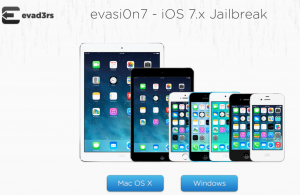
Fixes for the long reboot issue and broken weather.app issues are now available on Cydia as an upgrade to the evasi0n 6.0-6.1 Untether and UIKit Tools. If you recently jailbroke your iOS device please launch Cydia and install the upgrades.
The evasi0n 6.0-6.1 Untether is now at version 0.2-3 and UIKit Tools is at version 1.1.6 updated to 1.1.7 to fix some issues with users who have AppSync installed.
Now there really should be no bugs in the iOS 6.x untethered jailbreak. If you see any issues please report them. Enjoy your jailbroken iOS devices!!
Incoming search terms:
- how to get directv app to work on jailbroken iphone
- uikit tools not found
- fix weather cydia
- how to install uikit tools cydia
- cydia source für uikit
- unable to install uikit
- uikit tools not found in cydia
- uikit tools is not in cydia
- uikit tools cydia not found
- uikit tools 1 1 7 repo
evasi0n iOS 6.x Jailbreak Now Available!
The very first iPhone 5, iPad mini, and iPad 4th generation Jailbreak is here. Team Evaders has made everyone’s dreams come true today. Not only is this the first jailbreak for many new devices, but it is also a first time the iPhone Dev Team has given a release date and followed through.
The evasi0n software is very simple to use and requires just a few short minutes of your time. We will however have a tutorial on how to jailbreak your iOS 6.1 device with the evasi0n software soon.
Some notes to consider:
- If you have and iPhone 4 or an iPod Touch 4th Generation tethered Jailbreak on iOS 6.1, you should restore to a clean stock version of iOS 6.1, but NOT if you use ultrasn0w for an unlock.
- For those with a tethered jailbreak of iOS 6.1, there will be a debian available in Cydia to get your device untethered. You will have to take caution though as it is less tested than the original evasi0n app. This will save you some time from having to re-install your Cydia tweaks.
- Please disable the lock passcode of your iOS device before using evasi0n. It can cause issues.
- The evad3rs have a paypal account and are now accepting donations. Please donate so that this is not the last jailbreak for iOS.
You can download the evasi0n Jailbreak at their official website.
Incoming search terms:
- fix for directv app on jailbroken ipad
- cydia repo
- how to setup beta leimobile in cydia
- mobile cydia exe
- leimobil cydia
- iphone model m350
- apps cydia inject
- cydia simple mobile carrier bundles source
- beta leimobile link on cydia
- beta leimobile in cydia
Jailbreak iOS 5.1.1 via Absinthe 2.0
Finally you can jailbreak your iOS device via Absinthe 2.0. This jailbreak is untethered meaning that you do not have to jump through the hoops of hooking it up to a computer every time you reboot. Absinthe is a super simple jailbreaking application that was developed by the iPhone Dev Team and the Chronic-Dev team. It will jailbreak all iOS devices on iOS 5.1.1. This includes the New iPad 3! There is only one device that is not supported yet. The iPad 2,4. This is the new iPad 2 revision with the 32nm A5 chip.
How To Jailbreak iOS 5.1.1 via Absinthe 2.0:
1. Make a backup of your device in iTunes by right clicking on your device name under the ‘Devices’ menu and click ‘Back Up’. You may also backup via iCloud.
2. Once your backup is complete return to your device and go to Settings – General – Reset – Erase all Content and Settings. This will make the jailbreak process much faster. If your already tethered jailbroken SKIP THIS STEP.
3. Open Absinthe 2.0 and be sure you are still connected via USB cable to your computer.
4. Click ‘Jailbreak’ and wait…. just be patient and do not disconnect your device.
5. Once jailbroken return to iTunes and restore your backup from earlier. Right click on your device name under the ‘Devices’ menu in the left panel of iTunes and click ‘Restore from Back Up…’ then select the latest backup you created before. (restoring this backup will return all the content previously on your device ie, apps, photos, etc.
Download Links UPDATED for version 2.0.4.
Absinthe v2.0.4 MacOSX (10.5, 10.6, 10.7)
Absinthe v2.0.4 Windows (XP/Vista/Win7)
Absinthe v2.0.4 Linux (x86/x86_64)
Incoming search terms:
- tmobile mms fix 5 1 1
- lockdown-t mobile zip download
- evansi0n 5 1 1
- iphone3 1_6 0:10a403 download torrent
- chinese iphone model MD235ZP version 5 11(9B206)
- iPad1 6 1 3_Restore
iPhone 4S iOS 5.0.1 Untethered Jailbreak
We are only days away now from an Untethered Jailbreak for the A5 processor. This includes the iPhone 4S and iPad 2. We now have video proof of an iPhone 4S jailbroken. The video was made by Chronic Dev Team member DHowett. Check it out you can clearly tell that this is an iPhone 4S running Cydia!
Incoming search terms:
- simple mobile mms settings for iphone 3gs 5 0 1
- download redsn0w for iPhone2 1_6 1_10B141
- iphone 2 1_6 1_10B141 download
- iphone2 1_6 1 restore ipsw
- iphone2 1_6 1_10b141_restore which version of redsnow
- iphone3 1_6 1_10b144_restore ipsw support red snow
- que version de redsnow soporta ios 3 1_6 1_10B144_
- redsnow for iphone2 1_6 1
- redsnow to jailbreak ios 6 1 (10B141) untethered version
- iPhone3 3_6 1_10B141_Restore redsnow compatible?
iOS 5.0.1 Untethered Jailbreak
Pod2G has released the untethered jailbreak for non A5 devices. Which is pretty much everything except for the iPad 2 and iPhone 4S.
Here are the basic steps for how to get it:
- The untether is for iOS 5.0.1 on iPhone3GS, iPhone4, iPhone4-CDMA, iPad1, iPod touch 3G, iPod touch 4G
- If you have one of those devices and are not on 5.0.1 yet, update now! The SHSH window is still open for 5.0.1 If you unlock via ultrasn0w or gevey, make sure you only get to 5.0.1 via a custom IPSW! Once you’re at 5.0.1, use the latest redsn0w 0.9.10 to both jailbreak and untether.
- If you’re already at 5.0.1 with a tethered jailbreak, you have two choices: either run redsn0w 0.9.10 over your current jailbreak (deselect “Install Cydia” if you do that), or install the Cydia package prepared by the chronic devteam. The patches are the same regardless of which you choose.
- Some of you are using a hybrid 5.0/5.0.1 configuration. If so, do not attempt to install this untether over that setup! You will most likely get into a reboot cycle. Do a sync and fresh restore to 5.0.1 then install the jailbreak + untether.
- redsn0w 0.9.10b1 for OS X
- redsn0w 0.9.10b1 for Windows (be sure to run in Administrator mode)
Source [blog.iPhone-Dev.org]
Incoming search terms:
- redsnow icon
- iPhone2 1_6 1_10B141 shsh
- iPhone3 1_6 1_10b144 _custom_restore Activation
- iphone3 3_6 0_10a403 free download
- download file iphone3 1_6 0_10a403
- SHSH IPHONE 2 1 6 1_10B141
- ispw md377ll/a
- iPod4 1_6 1_10b144 Custom
- ipod4 1_6 1_10b144 shsh
- ipod4 1_6 1_10b144 _restore zip