Review: Cloud Music Player – SkyDrive, Box.com, Dropbox, Google Drive
Cloud Music Player – SkyDrive, Box.com, Dropbox, Google Drive, developed by Willengale Solutions Ltd, is the best cloud music player I have tried yet. It lets you connect to all of the hot and free storage companies and stream music directly from those services.
I typically store music on Dropbox, because I have a lot of space and use it all of the time. Unfortunately I do not utilize it to stream music as you don’t really have that many options and you have to click on the next song for it to start playing. With the Cloud Music Player app you can easily select all of your music from within Dropbox, press play, and relax. It will continue playing all of your songs in a specific folder until you stop. You can even play the songs in the background so you can do other things on your iPhone at the same time.
If for some reason you do not have an internet connection such as on an airplane, you can download all of the songs directly into the app and play them in offline mode. This is great if you just got a new song and didn’t have time to transfer it to your music app.
The only issues I have found so far is that you cannot play DRM protected music that was purchased through iTunes. Luckily most of the new music is DRM free, but it is expected that this would be an issue. Also your only options are mp3, aac, m4a, wav, aiff, m4r, mp4, caf, mov; but those are most commonly used anyways.
If you have some of these storage accounts with some free space and are interested in streaming, Cloud Music Player – SkyDrive, Box.com, Dropbox, Google Drive is the app you need. It will cost you $2.99 but is a great price since it is almost like iTunes Match at a fraction of the price. Check it out on the Apple App Store today.
Incoming search terms:
- best cloud music player
- скачать jailbreak 6 1 для iphone 4s 10b329
- cloud music player google drive
- cloud music player iphone box com
- iphone itunes sync waiting for changes to be applied
- itunes ipad sync waiting for changes to be applied
- music player for google drive mobile
- storing music collection match dropbox google drive
Google Maps Released for the iPhone – Quickly Shoots to the Number 1 Spot!
Apple and Google have finally made friends again and now you no longer have to rely on Apple’s maps. Those of you that love Google will be able to get your hands on Google Maps for iPhone.
The application is actually a whole lot better than the previous version that has been on the iPhone. It runs very quick and even has turn by turn navigation. I would definitely recommend using Google Maps until Apple develops their maps a bit longer.
Within just a few hours of the application being released, Google Maps has jumped to the number one spot on the top charts for FREE apps.
Incoming search terms:
- build iphone3 1_6 1_10B144
- appldnld apple iOS 6 041 6493 20130128 sh4rG iPhone2 1 10B141 Restore
- iphone3 1_6 1_10b144 ipsw
- iphone3 1_6 1_10b144 download
- ipod4 1_6 1_10b144 ipsw download
- missing key plist data for iphone3 1_6 1_10b144
Review: Sparkling Maps: Google Maps for iOS 6
I am sure most of you already know that Google Maps is nowhere to be found in iOS 6 Apple decided to create their own maps and has ran into a few problems and left a lot of people disappointed.
Luckily our friends from Sparking Apps have come to the rescue. Their newest app, Sparkling Maps, brings Google Maps back to your iPhone!
Currently there is no other app that I know of that offers this level of map detail, street view, and turn by turn navigation.
For only $0.99 this app is a steal if you are on iOS 6 and miss Google Maps.
Incoming search terms:
- ipad mini 2 youtube
Official YouTube App Hits The App Store
As we have reported before, iOS 6 will not include the native YouTube App. We were expecting Google to release the YouTube application at the same time as iOS 6, but it appears they have released it early.
The icon has been change from the old looking TV to a white icon with the YouTube logo. Unfortunately the new application is ad supported, so you will have to deal with ads now. Hopefully someone will port the old version from iOS 5.1.1 to iOS 6 and post it in Cydia.
I will admit that the new version is pretty fast and easy to use. What do you guys think?
Incoming search terms:
- iPhone3 3_6 0_10A403
- ipod 5th generation
- IPSW Iphone3 3_6 0_10A403
- iphone3 3_6 0_10a403 ipsw
- ipsw iphone 3 3_6 0_10a403
- directv app on jailbroken ipad 2
- iphone3 3_6 0_10a403 ipad
Review: PDF Reader – iPhone Edition
PDF Reader – iPhone Edition, developed by Kdan Mobile Software, is a multi-functional PDF reader that can be used in any occasion. This tool literally turns your iPhone or iPod Touch into a perfect document manager. With PDF Reader, you can carry a vast library of PDFs on the go and add supporting notes to help you in your study or work. You can read, manage, annotate, scan, and transfer files in a few simple taps. PDF Reader also makes it easier for you to store and access files from the cloud. It’s simple and intuitive interface require no learning curves.
Some of my favorite capabilities of this app include turning scanned images into PDFs, adding markups to PDFs, saving documents to the cloud, and the ability to sign documents on the go. PDF-iPhone Edition incorporates the built-in camera of your iOS device and allows you to scan everything you’ve come across. Scanned images can be combined and converted into a multi-page PDF document for convenient viewing and transferring.
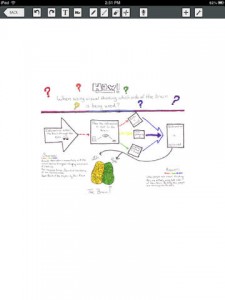
PDF Reader-iPhone Edition enables you to mark up your files by inserting sticky notes, textboxes as well as drawing lines, circles, and freehand on your PDF files, so you can sign documents if necessary.
PDF Reader-iPhone Edition also lets you retrieve, share, and save files to a selection of cloud storage services including iCloud, iDisk, Dropbox, GoogleDocs , box.net, SugarSync, FTP, and WebDAV Client and Server. It also provides an interface for you to efficiently manage and access all your cloud storage accounts. Not only can you store your files in the cloud, but you can also password protect folders within the application so that if someone accesses your iPhone your files are still secure.
Overall this is an all-in-one application for PDFs and is highly recommended. If you can’t figure out how to do something, this application provides excellent documenation on how everything works and gives you step by step instructions with pictures. It is currently available on the Apple App Store for just $1.99. If your looking for a way to read a manage PDFs than PDF Reader – iPhone edition is the app you need.
Incoming search terms:
- pdfreader iphone edition