Review: WordMic for iPad

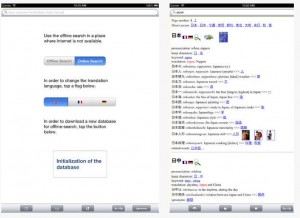
WordMic, developed by Focustrain LLC, allows you to read, record, and share your favorite books and stories. WordMic converts your voice and page images into a video that can be shared through email, Dropbox, Facebook, YouTube or Google Drive.
Word Mic is a great way to reinforce reading and language concepts and build a new reader’s confidence. And, because Word Mic can import PDF’s, teachers and students can save their own stories and drawings or illustrations as PDFs, and then create a video with the author’s voice narrating their new “book.” The app works great for flash cards, math problems, alphabet review, sight words, and virtually any concept that can be saved in PDF format.

With WordMic you Import a book from any website or even your Dropbox. If you are unsure where to get FREE books, look no further. WordMic incorporates a bunch of FREE books  for you to download as well. Now you have access to all of your books and can record them instantly. This is a great tool for teachers and students to help track their reading level and see how they have progressed. It is also a great tool for parents to read their child’s favorite book and record it so that they can play it back when they are gone.

WordMic is currently FREE on the Apple App Store but it will only be FREE for a limited time. Hurry up and grab this app before the price jumps back to $1.99.

read more

Review: BabyPing Secure Wi-Fi Baby Monitor for iPhone, iPad and iPod Touch

One of my friends who is expecting a baby very soon asked me if I knew anything about cameras or baby monitors that could work with her iPhone. I told her I was not that familiar with them but would try and get a few of the popular products to review. Recently BabyPing sent us their Wi-Fi baby monitor for us to do a review on.

In this review I will go over the positives and negatives of the BabyPing Wi-Fi baby monitor and explain why it is one of the best baby monitors on the market today. First off, having a newborn baby is a major change in your life and you want to make sure everything is perfect so that you can take the absolute best care of your child. Having a baby monitor tied to your cell phone makes your life that much easier. Since almost everyone has a cellphone with them or within a few feet at all times of the day, integrating the baby monitor into the phone makes perfect sense.

Nobody likes to carry multiple devices, this is why we have seen the smartphone evolve into one of the most important devices in our lives. It has replaced PDAs, calculators, portable gaming systems, and much much more, combining them all into one device. Just as Apple says, “There is an app for that,” there really is an app to monitor your baby at all times and from anywhere in the word.

Since I do not currently have a baby at home that I needed to monitor for this review, I decided to setup the camera to watch our dogs who are basically our little babies. I opened the package which was very well designed and everything was very well organized. Inside the box you will receive: the BabyPing camera, a power adapter with US/UK/EU adapters, a monitor stand, 1m network cable, cable clips, mounting screws & feet, as well as easy to follow instructions.

If for some reason you are having a hard time with the instructions, you can always jump onto the BabyPing website and watch their tutorial videos. I am guessing most people can figure it out because setup was super easy. All you have to do is download the BabyPing application from the App Store, plug the Ethernet cable into your router, plug the power supply into the wall and camera, and then follow the onscreen instructions.

At first I was expecting the app to find the camera via Wi-Fi, but soon learned that you had to plug the Ethernet cable into your router and then it would save the Wi-Fi settings to the camera. If I would of read the instructions first I would of caught this. Overall setup took only a few minutes and the video feed was live.

Inside the app you have a few different options including a SmartFilter and Night vision. The SmartFilter, when set to on, allows you to only hear you baby crying and will filter out other loud sounds. If you set the SmartFilter to off, you will hear everything. With this feature, you can now sleep comfortably since the device will just alert when your baby has started crying.

Also within the app settings is the ability to set Night vision to Automatic, always on, or always off. Having control over the Night vision is a great feature as you may have a darker room but do not want the camera to automatically switch over to Night vision. Speaking of Night vision, this camera provides an amazing image with Night vision off as well as on. It can be completely dark in the room and it will look as though a light is still on in the room.

I do want to mention that the BabyPing app that you download from the App Store will only work on your Wi-Fi network. If you want to view the camera from anywhere in the world or share the video feed with Grandma and Grandpa, you will have to download the app BabyPing+. This will allow you to set up a secure password and you can limit the access to certain people keeping your camera secure.

Currently the applications work on all iOS devices that I have tested, but they have not been optimized for the iPhone 5. The BabyPing+ application works just fine, but seems to be a bit buggy. I am sure the developers will have an updated copy out soon, so this should not deter you from purchasing this camera.

One of the best features of the BabyPing application is that you can monitor your baby and still use your iPhone, iPad, or iPod Touch at the same time. You can exit out of the app and it will continue to run in the background. If there are any errors with your connection or camera, you will get a push notification so you can immediately check to see what is wrong.

The only issues I had with the BabyPing Wi-Fi Baby Monitor is that you must have reliable internet access. If you have a weak wireless signal you will want to run a network cable directly from the camera to your modem/router. When using the application to watch video, you will want to be aware that there will be a slight delay due to network speed. It is a very slight delay, but something you should be aware of.

Overall the BabyPing Wi-Fi Baby monitor is an excellent choice for those who want to stay connected to their baby and not have to worry about extra devices and for those who want the ability to monitor their baby from an iOS device. It is great for parents who are at work and want to check-in to see how baby is doing with the spouse or babysitter. With the Instant Connect feature, you can keep in touch with your baby anytime you want.

BabyPing – Secure Wi-Fi Baby Monitor for iPhone, iPad and iPod Touch works over 3G, 4G or WiFi is currently priced on the BabyPing website for $199.99, but you can get it onsale right now via Amazon for $179.99. This is a must have app for parents and I would highly recommend it. Once your baby is grown up and out of the crib, you can use the camera to monitor your house or find other uses for a Wi-Fi camera. It is definitely worth the investment and should be on the top of your baby registry list if you are expecting parents.

There is not a thing that can ever compare to the joy and happiness that the presence of a baby can bring to one’s life. Parents will always want to see their bundle of joy every now and then just to make sure that he or she is safe. What better way to do that than by using a Wi-Fi baby monitor.

read more

Review: Deep Sleep Lite: a cure for insomnia and a relaxation for yoga

Deep Sleep Lite: a cure for insomnia and a relaxation for yoga, is a FREE application to help you sleep. By using soothing sounds you can easily relax and fall asleep. This application can also be useful as background music for your yoga workouts. The sounds produced with this application are intended to lead you to a deep sleep and it has a built in alarm clock that you can set so you wake up on time.

When you start your session you can just hit play and you will hear a set mix for 15 minutes. If you decide you want to tweak it there is a built in mixer that allows you to choose how much of each tone you wan to to hear.

The Lite version is just a limited version of this application. To access a large variety of music, nature, voices, and select a duration between 5 and 60 minutes, you will want to purchase the full version. The Lite version will only play for 15 minutes.

Not only will the full version unlock more features, there are also a ton of in-app purchases. You can buy new music, naturals, binaurals, and voices.

Deep Sleep Lite is the FREE version of Deep Sleep, which costs $9.99. You will want to upgrade to the paid version if you want all of the features the app has to offer. The lite version will just give you a short preview of what you can expect. Download the FREE version on the App Store today to see if it helps you relax and sleep easier.

read more

Review: Baby Wishlist for iPad and iPhone

Baby Wishlist, developed by ilan lewin, is an application intended mostly for expecting mothers. It offers a checklist of baby goods, helps you find the right products, and allows you to create a wishlist or baby registry which you can share with friends and family.

To get the most out of this application you should use the iPad version, but the iPhone version works just as well. For this review I will be mainly talking about the iPad version.

When you first launch the app you will notice the easy popups that help guide you through the app. You will see a visual checklist that lets you see what each item looks like and what situations you would use it in.

Just swipe across the screen and you will see all the different rooms in your house. Tap on one of the grey shaking objects and it will tell you what it is. You can say you have one or want one.

If you say you want one it will show you a list of best sellers and top rated products. It will give you pictures and even full reviews. You can then add it to your wishlist or buy it now.

When you add it to your wishlist you will be able to change the quantity, set it private so it doesn’t show up on your public registry, and even add notes for anyone who buys it for you.

If you decide you want to turn your wishlist into a public registry that you can share with friends and family, just create a profile. Once you have your registry you can post the link to Facebook, Twitter, or email it.

Overall this is a great app for anyone expecting a baby. I am expecting a baby soon and having this app as a tool to help find out what products to register for has been very helpful. I love that I can get product suggestions and read reviews.

The first time we went to the local baby store to scan items for our registry we were completely lost and just scanning random things we had no information on. Now I can instantly find the top products and keep track of it all in this handy app.

Baby Wishlist is currently free on the Apple App Store so you should check it out now if you are expecting a little one.


Incoming search terms:

  • how to send text and change the number it comes from
read more

Review: Cloud Music Player – SkyDrive, Box.com, Dropbox, Google Drive

Cloud Music Player – SkyDrive, Box.com, Dropbox, Google Drive, developed by Willengale Solutions Ltd, is the best cloud music player I have tried yet. It lets you connect to all of the hot and free storage companies and stream music directly from those services.

I typically store music on Dropbox, because I have a lot of space and use it all of the time. Unfortunately I do not utilize it to stream music as you don’t really have that many options and you have to click on the next song for it to start playing. With the Cloud Music Player app you can easily select all of your music from within Dropbox, press play, and relax. It will continue playing all of your songs in a specific folder until you stop. You can even play the songs in the background so you can do other things on your iPhone at the same time.

If for some reason you do not have an internet connection such as on an airplane, you can download all of the songs directly into the app and play them in offline mode. This is great if you just got a new song and didn’t have time to transfer it to your music app.

The only issues I have found so far is that you cannot play DRM protected music that was purchased through iTunes. Luckily most of the new music is DRM free, but it is expected that this would be an issue. Also your only options are mp3, aac, m4a, wav, aiff, m4r, mp4, caf, mov; but those are  most commonly used anyways.

If you have some of these storage accounts with some free space and are interested in streaming, Cloud Music Player – SkyDrive, Box.com, Dropbox, Google Drive is the app you need. It will cost you $2.99 but is a great price since it is almost like iTunes Match at a fraction of the price. Check it out on the Apple App Store today.


Incoming search terms:

  • best cloud music player
  • скачать jailbreak 6 1 для iphone 4s 10b329
  • cloud music player google drive
  • cloud music player iphone box com
  • iphone itunes sync waiting for changes to be applied
  • itunes ipad sync waiting for changes to be applied
  • music player for google drive mobile
  • storing music collection match dropbox google drive
read more
Page 1 of 2912345...Last »