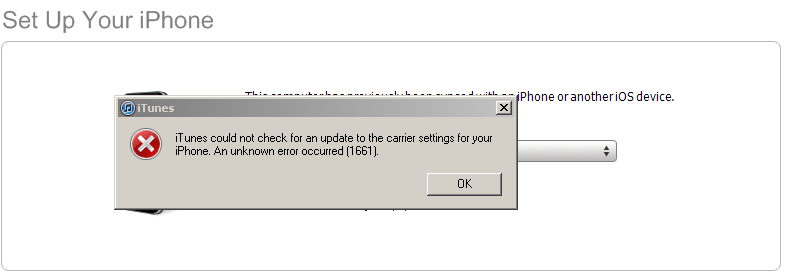
Are you getting the error iTunes could not check for an update to the carrier settings for your iPhone. An unknown error occurred (1661)? This happened to me after a restore from iOS 5 beta. I am guessing since Apple changed the carrier settings around and blocked the ability to edit edge settings on non approved carriers with this version of the beta is the reason we are seeing this error.
I have an officially unlocked iPhone 4 running T-Mobile USA and on iOS 5 beta 7 when I go to Settings -> General -> About -> my Carrier shows up as Not Available. Apple will most likely fix this error, so we can guarantee that there will be an iOS 5 beta 8 and iOS beta 9 may be the GM (Golden Master).
Incoming search terms:
- itunes error 1661
- md643ll/a
- itunes could not check for an update to the carrier settings for your iphone 1661
- itunes could not check for an update to the carrier settings for your iphone
- itunes error 1635
- iTunes could not check for an update to the carrier settings for your iPhone an unknown error occurred (1630)
- itunes could not check for an update to the carrier settings for your iphone 1630
- error 1661 iphone
- itunes could not check for an update to the carrier settings for your iphone 1660
- itunes 1661
I got the same problem as your, with IOS 5 beta 7.. I hope they will fix it soon i really need my 3G
I could find a workaround:
Go to:
http://www.unlockit.co.nz/unlockit/
And create an APN profile with the settings of your provider (you’ll need a wifi connection for that). My 3G is working now, but I could not find a way to get the tetering back….
I got the same problem, but I’m in a iPad 1, I turned on 3G and the problem was solve,
Thx
Download iPhone Configuration Utility: http://www.apple.com/support/iphone/enterprise/ (MAC and Windows).
Edit the APN settings and install! It worked here in Serbia, for Telenor.
=)