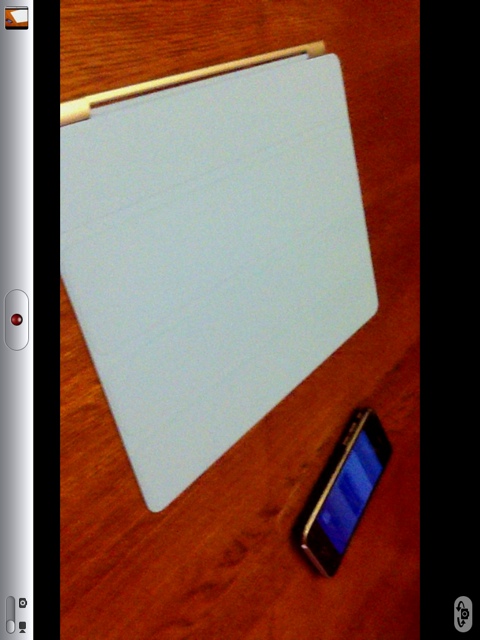
Hey guys, I was fooling around with my iPad 2 and I found that you can change the aspect ratio when taking video! (not sure if this works on other iOS devices running iOS 4.3) But all you have to do is go to your iPad 2’s camera app, and double tap on the view finder. (I double tapped on the right side of the screen).
That’s it! Now you can record widescreen (16:9 ratio) 720p video instead of the regular “legacy” full screen (4:3 ratio) 720p video!
Have fun!
Incoming search terms:
- ipad 2 camera settings
- how to adjust ipad 2 camera settings
- ipad camera settings
- how to change camera settings on ipad 2
- how to adjust ipad 2 camera
- how to adjust camera settings on ipad 2
- ipad2 camera settings
- How to change camera settings on ipad
- how to change iPad camera settings
- ipad 2 camera setting
This is on 4.1 fir iPhone 4 as well mate lol.
Wow, lol. I have an iPhone 3G S so this is news to me, lolz. Sorry about that.
You are funny. You start every article out with hey guys.
Letting u guys know that it’s me and that we are actually pretty personal with people instead of some cold news place with no emotions. 🙂
Alans cool like that….
Bummer it doesn’t work on the front facing camera as well.
I actually landed on this post because I am trying to use the FULL screen for video, as i have been stuck in wide screen. I just tested this double tapping on my iPad and it appears to only affect what you see in the view finder. The video that it takes is widescreen, even when the view finder is displaying full screen. I find it incredibly annoying.
Just google search Step by Step Guide on How to Change Video Aspect Ratio with iDealshare VideoGo, you will find a detailed tutorial.