Review: BetterMe — a better alarm clock for iPhone
BetterMe, developed byAbraham Agopian, is an iPhone application that is for people who look for any way to better themselves. The app uses the fear of social scorn to help someone jump out of bed in the morning.
The basic concept of BetterMe is to not be lazy and hit the snooze button. If you decide to hit the snooze button, BetterMe will post a message on your Facebook wall telling everyone that you were too lazy to get up in the morning. BetterMe is the perfect formula for a better morning.
This application has a super nice graphics interface (GUI). The layout of everything is very well done and super easy to navigate.
When you first launch the app you will be asked to log into to your Facebook account. If you don’t have one you can just hit cancel, but then again why are you using this app? It could be because it is still an awesome alarm application. Anyways, you can always turn the option off for posting on your Facebook timeline.
Other settings include the ability to choose from a standard and 23-hour clock as well as a vibrate option.
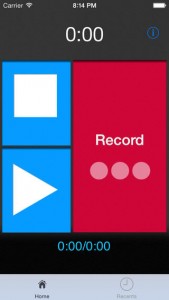
When you add a new a new alarm you can set the name, time to wake up, which days you want the alarm on, and even pick a wake-up tune from your music or ringtones. One really neat feature is the ability to record a custom wake-up sound right from the app.
So if you want to start bettering yourself the first thing in the morning, Check out BetterMe on the Apple App Store. It is a FREE application so check it out!
Incoming search terms:
- iphone 4s modelo md234ll name m350
- NAME: M350 MODEL:md234ll
- iphone5 2_6 1
- name m350 model md234ll
- model m350 iphone 4s
- md234ll model mobile NAME M350
- betterme ios review
- iphone 4s md234ll preço m350
- iphone 4s md234ll m350
- iphone 4S M350 model MD234LL
Review: iBee – Discover Great Apps & Get Paid for Reviews
iBee is a viral marketing platform and referral rewards program designed specifically for iOS applications. It’s as easy as 1-2-3. Download– discover great apps, Buzz– share app reviews, Ka-Ching!– get paid for referral downloads.
Finding hot new apps can be challenging, especially if the developers do not spend any money on marketing. Apple’s top download list is usually apps that have been out for some time and gained some traction. With iBee’s Buzz Chart Top 10, you can see which apps are hot right now based on current reviews and what’s been spread on Facebook.
Users can download and share reviews about iPhone apps on iBee.com, directly on the computer or your iOS device. iBee spreads the reviews over the iBee network and Facebook. Reviewers will get paid for each referred download and get 70% of CPC (Cost-Per-Click) campaign bids.
So if you are looking to get free apps for your iOS device, iBee is the way to go. Just start rating apps and get paid. You will earn cash rewards from every download from your referral link. Simply visit m.ibee.com on your mobile device.
Incoming search terms:
- ibee com review
- ibee free apps
- get paid to review apps
- application download for M350 model MD234LL
- GET paid YOUR APP REVIEWED
- leimobile com review-ibee
- iphone5 2_6 1 beta 5
- ibee review
- ibee how to earn
- celular md234ll m350
Flex – The iOS GameGenie
If you we’re at least born in the 90′s you should know what a GameGenie is right?
Well for those of you who don’t know, a GameGenie was a cartridge that you placed between your game console and game (namely Nintendo Entertainment System, Sega Genesis, etc) that let you modify the game you were playing without actually changing anything inside the original game cartridge, it was all runtime based.
This is what Flex is for iOS
It lets you pull up any application installed on your device, and poke around inside it. Change this, change that, break this, whatever you feel like doing you can do it inside Flex. With Cloud support you can share the “tweaks” you make in Flex with other users who use it.
A simple rundown on how to use it:
- Open Flex and in the “Patches” view hit the “+”
- Choose the App you want to play with.
- Tap on “Add Units…” (these are the actual things that make the changes to the apps)
- Usually you will want to tap the name of the app under “Executable” but this is where experimenting comes in.
- If a dialog wanting you to Process the executable comes up, do so
- Next you will want to choose a class to play with (experiment)
- Next choose a method you want to override (experiment!
) - Ticking a method will setup a unit that basically overrides it to do nothing
- After this you can go back to the “Patches” view and hit the check box to turn your patch on
Currently with Flex you can only override a method to where it doesn’t do anything anymore, advanced stuff isn’t possible yet, if ever.
Flex is currently available from John Coates for $3.99 in the BigBoss Repository
Incoming search terms:
- flex for ios patches
- patch games with flex
- IPHONE MD234LL M350
- ios flex patch list
- ios flex patch
- ios flex game hacks
- how to use ios flex to hack game
- gamegenie ios
- game genie ios
- flex ios cheats
Review: iColorama for iPad – The Best Photoshop for iPad!
Ok guys I just got iColorama for iPad and let me tell you this is an AMAZING piece of software. iColorama is one of the best photo editors I have seen for the iPad.
iColorama is that last step for all of the photos you take. Just take a picture, open iColorama, enhance colors, and apply many filters and image settings until you are satisfied and then SAVE & SEND.
iColorama offers a ton of effects and almost all of them have individual presets to quickly adjust your image. You can also fine tune the effect with a swipe of your finger and choosing the brush you want to use. The included effects include:
Tone:
Enhance, Pastel, MatchColor, Bleach, B&W, BW&Color, Duotone, TritonePresets:
Lomo,Tint,Sepia,Colors,Textures,Borders,LinesEffects:
Blend, Vignette, Noise, Light, Blur, Denoise, Sharpen, Multi, GradientStyles:
Sketch, Simplify, Painterly, Edges, Flated, Halftone, Pixels, Hatches, EngravesAdjust:
High, ToneLab, Vibrance, Saturate, Exposure, Channels, HDRForm:
Warp, Flip, Straight, Deforms, Glass, Waves, Escher, Tiles
If there was one thing that I wish they could add or change would to have a user guide or introduction video showing you how to use all of the features. Even though that app is very easy to use, some people may get overwhelmed with all of the options available and what they do. The best method to use would be just trial and error. Keep clicking on things until you achieve the right look.
Once you have the desired look of your picture you can save it back to your camera roll or post it on some of the popular social media sites like Flickr, Facebook, Twitter and Tumbler. You can also e-mail or MMS your friends and family as well.
iColorama is currently priced at $1.99 and is a steal at that price. This app should easily cost $4.99 or $9.99. If you are looking for the iPhone version they have that priced at $1.99 as well, and they even offer a free trial version. You should grab a copy now at this low price before the developer decides to raise it up.
read moreReview: Beetles. Stop them! for iPad
Beetles. Stop them! is the name of the game and exactly what you will be saying as you are rapidly smashing them on your iPad screen. Beetles. Stop them! was developed by Pavel Vladimirov, and your job is to survive as many waves as possible by smashing beetles.
Tons of beetles will be rushing to the bottom of your screen. Smash them before the reach the bottom and you will earn points. If they reach the bottom your health will decrease and the game will end when you have no more health. You will have to watch out for the good beetles and not smash them and you will also have to watch out for the boss beetles who will be harder to kill.
Throughout the game you will have options to pick up super weapons and regain your health, and if you do not want to wait for items, you can unlock them through in-app purchases from their store.
This game is very fun and enjoyable but can be a bit difficult. It is a game that kids of all ages can play, but it may be a bit too challenging for the younger kids, and there is no difficulty levels that you can adjust.
Currently this game is priced at $0.99 and is available on the Apple App Store. Go check it out!
Incoming search terms:
- beetles stop them
- 6 0 1evasi0n
- beetles stop them appstore
- c39gtbxsdt9y
- celular desbloquear md234ll m350
Review: Chromo Inc Lightning Cable for iPhone5 + Car Charger + Wall Charger – Pink
Looking for a Pink iPhone 5 Lightning cable for the iPhone 5? Chromo Inc. has got you covered. They have a set that is currently available on Amazon for $16.99 and is eligible for FREE super saver shipping. It also qualifies for FREE shipping under the Amazon Prime. This set includes a pink Lightning to USB cable, a pink USB wall Charger, and a Pink USB car charger.
If you are into pink, this is the perfect setup to have. Lots of people are switching out their front LCD on their iPhone and changing it to Pink. If you have a pink iPhone 5, be sure to get pink cables to go with it!
Let us know what you think of the Pink iPhone 5 lightning to USB cable in the comments below.
Incoming search terms:
- chromo inc cable
- chromo inc lightnin cable
- chromo iphone charger
- chromo iphone charger reviews
- iphone charger saver
- lightning cable iphone 5
- review for chromo iphone 5 charger